Top computer hardware news

Friday, November 26, 2010

How Google Docs won me over

With a single new feature added to its online word processor yesterday, Google has diminished many concerns I had about taking the cloud-computing plunge a few months ago.

That feature, autocorrect in Google Docs, fixes common typos such as converting "teh" into "the." In and of itself, it's not a game-changer.

But it carried outsized importance for me because it was one of the things I missed most about Microsoft Word and because it gives me faith that Google Docs is headed in the right direction.

As if to validate my new optimism, Google today announced an improvement that's much larger than a single feature: the ability to edit Google Docs from Android phones, iPhones, and iPads. Google Spreadsheets already were editable with some mobile phone browsers.

Google Docs, which has grown considerably since Google's 2006 acquisition of Writely, consists mainly of word processor, spreadsheet, and presentation modules that compete with Microsoft Office's Word, Excel, and PowerPoint. It's become a standard-bearer for the Web applications movement and, with Google selling it in premium form along with Gmail for $50 per user per year in the form of Google Apps, Google's next billion-dollar revenue stream after advertising.

Google has said Google Docs will compete not by matching every Microsoft Office feature but by emphasizing common abilities needed by everyone and by making collaboration a centerpiece rather than an afterthought. That message stuck in my craw, I confess. Although I agree it's transformative to have several people editing the same document at the same time, I think you also need a lot of more features to be truly compelling for more than very lightweight use.

Thus my delight with autocorrect. It signifies that Google realizes it needs better features and is working to make them happen. Much of this is possible from the rebuilt Google Docs foundation that emerged in April. Last year, Google CEO Eric Schmidt told me Google Apps customers sign up for Gmail and Google Calendar, but with improvements, maybe they'll start using Docs in earnest, too.

So here's my assessment of Google Docs from having lived in it for months. My needs may not be yours--I've hardly used Presentations, for example, and I deal much more with raw text than with fancy formatting, revision-tracking, fonts, and printing--so don't assume everything here applies universally.

Why switch?
I use three computers and a mobile phone for work, and Google Docs spans all of them. That's the reason I fully embraced it starting in March, but it's not why I got started.

Before I switched, I'd been dabbling with Google Docs to see what it could offer. I liked the colorful, clean spreadsheet graphs better than what came out of Excel. In a few cases where I needed to take some notes I needed at home while I was at work, I'd use a Google Docs document instead of my previous approach, e-mailing them to myself.

Autocorrect, accessible through Preferences in Google Docs' tools menu, lets you fix common typos.

Autocorrect, accessible through Preferences in Google Docs' tools menu, lets you fix common typos and expand abbreviations into long phrases that are cumbersome to type.

(Credit: screenshot by Stephen Shankland/CNET)

I was glad I got started, because in March, when I happened to be far away from any company IT help, my work computer, a Windows XP machine, croaked. A busted fan bearing meant it wouldn't even switch on. My data was safe but inaccessible, but more to the point, I had stories to write.

I had two other machines on hand: a MacBook Pro and Windows 7 laptop. I wasn't sure what my computing future held and was reluctant to commit to a long-term relationship with another hard drive. Google Docs was an easy option to try for a few days while I got things sorted, and it would be easy to export a few files back to my machine after I got things sorted out, I reasoned.

It stuck. I rapidly came to appreciate the ability to hop from one machine to another. At one point, waiting in a queue in a post office, I was able to retrieve address information I'd stored in a document using my phone, too.

Although there are legitimate concerns about the security and reliability of Google's infrastructure, they must be assessed not just in absolute terms but also in relation to the alternative. That one fan bearing showed one pretty glaring weakness.

The good
So what do I like about Google Docs besides cutting the dependence on a single machine?

The reliability, as I mentioned, is one asset. During the transition to the new foundation, I had recurring warnings that I had to reload my documents, but they faded as Google patched it up. Now I find it consistently available. I also appreciate that my data is backed up on Google's servers, which if not infallible are at least engineered to surmount hardware failures as a routine rather than exceptional problem.

Something else that took some getting used to but that I prefer now is real autosave. Every few seconds after I stop typing, the document is automatically saved, with no weird corrupted versions resurrected after a crash.

I don't share the bulk of my documents, but there have been occasions when I jointly wrote a piece with another reporter when it's been useful. My wife and I both wrote our holiday letter at the same time using one document but different computers.

For organizing my files, I vastly prefer Google's idea of labels to the traditional folder hierarchy. If I take notes on a story that involves Google, Apple, Web browsers, and Adobe Systems, I'd have to decide where to file it back in the old days. Now I just mark the story with each of those labels so it's available when I view any of those subsets of my files.

The Google Docs file list page is a useful portal to my data. The most recently changed document is at the top, which often helps me resume work where I left off earlier. The ability to hide documents I'm done with resembles Gmail's useful archive. I occasionally add a star to important documents, but usually the time-based organization produces a page that naturally resembles my to-do list without having to do much more.

And did I mention that I like autocorrect? It's not just useful for fixing common typos. The reason I swear by it is to automate unpleasant or tedious typing chores. If you must write cumbersome phrases like "Massachusetts Institute of Technology" often, you can set Google Docs to type it for you when you type something shorter. I use it to replace the HTML coding, and it was one of the single biggest things I missed about Microsoft Word. Bear in mind, though, that if you add an autocorrect entry in one document, it won't be available in others--or in other instances of that document in separate browser tabs--until you reload those documents.

The bad
Google Docs needs a lot of improvements, though.

My biggest complaint, far and away, is the activation energy needed to get rolling with a new document. Clicking a menu item and waiting for the new tab to load is just so much slower than hitting Ctrl-N in Word. When it's crunch time and I need to start taking notes immediately, it's just too much fussing. Google knows darned well the benefits of alacrity, as shown by its obsession on search speed, but I feel with Gmail's current laggardliness and Google Docs' pokey point-and-click hurdles, Web apps have a lot of catching up to do.

Spellcheck has problems. I should be grateful that a JavaScript-based program running in a browser can even do this at all, but instead I focus on annoying omissions: I most definitely did not misspell "hadn't," "didn't," or "wasn't." Maybe there's a way to crowdsource the addition of new terms to the spell-checking dictionary or at least try to spotlight candidates for inclusion based on how often they appear on the Web overall.

I crave these features from Word: split screen, the "go back" command, and text highlighting with a fast keyboard shortcut.

Other weaknesses: Google Docs' search and replace falls short, for example because I can't search for or replace characters like a carriage return. The pop-up information about hyperlinks gets in the way of text I'm trying to edit. And I find it starts to crawl with big documents with several thousand words.

And Google Docs' "clear formatting" command seems awfully timid about actually clearing away formatting--line spacing and indents, for example. On a related note, I want to be able to paste unformatted text. For now, when I'm using Chrome, I use Ctrl-Shift-V on Windows and Command-Shift-Option-V on Mac OS X to paste without formatting.

Labels are useful, but awkward. Right now I drag documents to the labels in the documents view--a process that's rather laggy, by the way--but I wish there were an ability to add labels directly from the document itself. As it is, I create the document, save it with a title, go back to the documents list and reload it, then apply the labels.

Speaking of the documents list, as long as Google is pilfering code from the Gmail team, why not let me select, star, label, and archive items with keyboard shortcuts?

Network reliance
There was a day when Google was working on offline access to Google Docs and Gmail. With the demise of its Gears project and the as-yet unfinished replacement work with Web standards, though, the idea is on ice for now. Google says most people didn't use it anyway, which is a fair point, but I found it pretty clunky, and I suspect the people who do a lot of work offline weren't touching Google Docs with a ten-foot pole anyway.

But offline work is important for me. There are so many times when I lack a network, even in my glamourous high-tech first-world existence, this omission is really glaring. Here are some I've experienced personally in the last few months: on the train, on the plane, in the car, on vacation, dealing with collapsing conference Wi-Fi or flailing ISPs, reckoning with data-transfer limits on a mobile network using a tethered mobile phone.

So when there's a risk of a dead network, I preemptively do my work either in Word or in Evernote, which has a convenient native application that synchronizes with the cloud-based system. I suspect such an app would be possible for Google Docs with Adobe Systems' AIR foundation, which has a built-in browser based on the same WebKit engine as Apple's Safari and Google's Chrome, but perhaps Google doesn't want to taint the purity of its Web-app marketing message.

Another awkward marriage of native and cloud apps comes when it's time to search. Back when all my data lived on my computer, I could use a local search application to turn up all sorts of data. Google Docs, though, has one search interface, Gmail and Google Calendar add a couple more, and none of them search my thousands of archived documents, presentations, PDFs, or other files on my hard drive.

I expect some of the problems I have are on Google's to-do list. What I find encouraging is the faster pace of improvements since the new Google Docs foundation arrived. Who knows--perhaps someday there will be something more Googley built in--live translation of a document into another language, for example, or predictive text autocompletion using Google Scribe. But even today, on balance, Google Docs has won me over.


The Beatles come to iTunes at last

The entire Beatles' catalogue is now in iTunes.

At long last, the works of the Beatles are available in iTunes.

The digital content is exclusive to iTunes, a representative of The Beatles' record company, EMI, told CNET. The exact length of that deal is unknown, but it will expire some time next year.

As of now, the iconic band's entire catalog can be purchased in Apple's iTunes Store. Each album comes with iTunes LP, which features additional content including lyrics, photos, and album art. A digital version of the Fab Four's entire body of work is also available for download for $149, and that comes with exclusive access to a video of the band's first U.S. concert, "Live at the Washington Coliseum, 1964." Single albums are priced at $12.99, double albums at $19.99. Songs will cost $1.29 each.

This is a personal victory for Apple CEO Steve Jobs, as The Beatles were one of the most prominent holdouts from his online music empire. Apple had tried for years to acquire rights to The Beatles' catalog.

"We love the Beatles and are honored and thrilled to welcome them to iTunes," said Jobs in a press release today. "It has been a long and winding road to get here. Thanks to the Beatles and EMI, we are now realizing a dream we've had since we launched iTunes ten years ago."

Apple hyped up the announcement over the last 24 hours with a splash page on its Web site promising that "tomorrow is just another day. That you'll never forget." After several hours of tech news sites buzzing about what the company could have up its sleeve, The Wall Street Journal reported that Apple would finally announce an agreement to offer The Beatles' music.

In a press release from Apple, and EMI, each of the surviving Beatles members or a representative was quoted about the news.

Paul McCartney: "We're really excited to bring the Beatles' music to iTunes. It's fantastic to see the songs we originally released on vinyl receive as much love in the digital world as they did the first time around."

Ringo Starr: "I am particularly glad to no longer be asked when the Beatles are coming to iTunes. At last, if you want it--you can get it now--The Beatles from Liverpool to now! Peace and Love, Ringo."

Yoko Ono Lennon: "In the joyful spirit of Give Peace A Chance, I think it is so appropriate that we are doing this on John's 70th birthday year."

Olivia Harrison: "The Beatles on iTunes--Bravo!"

The release of the band's music online marks the end of a long journey for both EMI and Apple. The two battled in courtrooms for years over a trademark dispute: Apple Corps, The Beatles' record company, versus Apple Inc.

In 1991, the two updated a 10-year-old agreement regarding how each of them would be allowed to use its trademarks. Apple Inc. (at the time known as Apple Computer Inc.) paid Apple Corps $27 million and agreed not to enter the music distribution business under the Apple name and logo. Apple Corps later said that the computer maker broke that agreement by opening the iTunes Store, and sued in 2003. Apple Computer eventually emerged victorious when a U.K. judge ruled that it was not in violation of the agreement because it was selling prerecorded content, not original music under the logo.

The dispute was officially resolved in 2007, when a new deal replaced the 1991 agreement, which prohibited Apple Inc. from distributing music through physical media such as CDs and cassette tapes.

CNET's Greg Sandoval contributed to this report.


Netflix's secret sauce for acquiring content

If you're a Netflix subscriber, you should be happy with the sounds coming out of Hollywood.

One entertainment executive told me last week that other Web video companies looking for content should use Netflix as a model for how to work with the major studios. He called the company a "good partner," high praise coming from an industry in which few have anything good to say about Internet companies. This bodes well for Netflix's chances of obtaining more streaming content. When it comes to the studios' complaints about Netflix, there's also something positive to be found.

"While there are things in the Netflix system that are clearly cannibalistic [to sales], there are things we can change," Craig Kornblau, president of Universal Pictures' home entertainment unit, said during a conference appearance earlier this month. "They can pay us more, or we can reduce the quality of what we give them."

Kornblau obviously doesn't think that Netflix paid enough for content it licensed in several high-profile deals with the studios this year. That may mean trouble in the future, but Kornblau's statement, coming so soon after Netflix landed the licensing agreements, also suggests that the company's ability to acquire content isn't solely dependent on the size of its checks. Netflix appears to have more to bargain with than just cash.

The hit rental service is now the supreme power in U.S. video rentals. It has put itself in that position by building one of the most loyal followings and strongest brands of any digital-entertainment company. Netflix is respected by consumers for doing away with the much-loathed late fees, offering low prices, and providing one of the best viewer experiences online. Netflix has also stood out among Silicon Valley companies for its willingness to partner with the studios.

"It's not just about writing the big check," Ted Sarandos, Netflix's chief content officer, said in a recent interview with CNET. "A lot of people have written big checks and didn't get what they needed."

It's our goal to be embedded into the studios' business and understand what drives their decision making.
--Ted Sarandos, chief content officer, Netflix

One of the best stories in digital entertainment this year is how Netflix built up its streaming-video library against the odds. It wasn't long ago that pundits predicted that Netflix would be unable to pay the studios' rates and would see its supply of streaming content cut off. The naysayers argued that Netflix would go bankrupt or alienate subscribers by forcing steep price increases on them.

So far, the company has defied the doubters.

Embedded in Hollywood
For tech companies, acquiring rights to film and TV content has proven to be a challenge. For instance, the four major broadcast networks have blocked Google TV from accessing their Web content. To some studio insiders, the Silicon Valley guys were just the latest hustlers to come to town. The Web video companies were either devising software or sites to pirate or port in films and TV shows, or were dismissive of the studios' digital strategies. YouTube employees once famously referred to the video portal created by NBC Universal and News Corp. as the "clown company." It turned out to be Hulu.

A high-handed attitude isn't what Reed Hastings wanted. Netflix's CEO, named "Business Person of the Year" last week by Fortune magazine, handed Sarandos a very different mission in Hollywood.

"Unlike the companies that [tried to strike partnerships with the studios] before, we didn't make the mistake of relegating relationships to agents and lawyers to broker deals," Sarandos said in a recent interview with CNET. "The same way we don't outsource our [intellectual property], we don't outsource our relationships...It's our goal to be embedded into the studios' business and understand what drives their decision making. We do our best to be good partners."

Ted Sarandos, Netflix's content chief.

(Credit: Netflix)

The close Hollywood ties help Netflix managers find ways to help the studios, as well as themselves. One example involves the recent decline in sales of DVD box sets. Many TV shows aren't selling well on DVD, even as the costs of producing one-hour serialized shows go up, Sarandos said. When it comes to syndication, a dramatic series that includes more adult themes, such as Showtime's "Dexter" or Fox's "Lie to me," are traditionally a tough sell. One issue with most serialized shows is that if viewers miss an episode, they fall behind in the story.

Netflix's streaming service is one solution. Users don't have to worry about falling behind. They choose which episode to watch and when.

Netflix also impressed many at the studios by agreeing to help protect DVD sales. Earlier this year, the Los Gatos, Calif.-based company agreed to delay renting some of the studios' newly released DVDs until 28 days after their titles hit store shelves. In return, Netflix received access to more TV shows and films for its streaming service.

Blockbuster and Netflix data
There are other, more practical reasons for strong Netflix-Hollywood ties: Blockbuster is all but gone. The brick-and-mortar retail chain, which filed for Chapter 11 bankruptcy protection in September, was a big source of revenue for the studios. And just as DVD sales plummet, Hollywood's attempt to persuade consumers to upgrade film collections to Blu-ray discs has largely failed. The studios know that Netflix, with its 17 million subscribers, can help fill these holes.

More importantly, the studios know the trend in renting movies is to do it online. If there's a better way than Netflix for the studios to stake out prime digital turf, it hasn't presented itself.

And then there's all that customer data. Eric Garland, CEO and co-founder of Big Champagne, a company that tracks digital-media consumption, argues that Netflix's greatest advantage--indeed, one of the things that appeals most to Hollywood--is what it knows about its customers' renting and viewing habits.

"Netflix is cleaning up because they started seeing changes in consumer behavior before consumers knew they changed their behavior," Garland said. During the period before it started offering streaming content on demand, for example, Netflix noticed that its subscribers had already started to slow down the volume of their DVD viewing.

"We were updating the queues, we were creating the lists, but that ping-pong of DVDs going back and forth in the mail had started to slow. You didn't know what that meant. You were busy going 'Ah, I need to watch that DVD, but I don't want to watch it tonight.' You put it back down. What they saw was that you needed better and more immediate access to more titles," Garland said. "That's old news now, but they've been in possession of that for years. So the reason that Netflix is of such strategic value to Hollywood is that they already own the new consumer who doesn't want to bother with the disc."

Correction PT This story incorrectly stated the number of Netflix's subscribers. Netflix currently has 16.9 million subscribers.


Tuesday, November 16, 2010

Elocity A7 Android 2.2 tablet now available for pre-order

The eLocity A7 packs Tegra 2 with Froyo for under $400

With Android tablet announcements reaching an all-time high, it's nice to see some actually begin taking pre-orders. In this case it's the eLocity A7 tablet which is worth mentioning due to the included NVIDIA Tegra 2 1GHz processor and Android 2.2 OS. Now, just because it's available for pre-order doesn't mean you'll be getting your hands on it right away. We don't know exactly how "pre" matches up to any sort of temporal value at this time. It could be next week, it could be next month (more likely).

Aside from sporting the Tegra 2 and the Android Froyo, the eLocity A7 has a 7-inch capacitive touchscreen, 512MB of DDR2 RAM, 4GB of storage (bleh), 1.3MP Camera, USB 2.0, HDMI (for streaming 1080p capable video), 802.11b/g WiFi, Bluetooth, three axis accelerometer, and a battery rated for five hours of video playback. There are some very obvious weak points (battery life and internal storage) but does a price tag of $369.99 balance it out? Seems like an interesting choice for those wanting a 7-inch capacitive touch Froyo tablet with the sought-after Tegra 2 processor.

Head over to Amazon now and plunk down your digital cash if you feel it's worth it.

Source: besttabletreview


COOL-ER eReader gets second wind with Elonex partnership, promises color E-Ink next year

Elonex's color eReader that was shown at IFA (image from Pocket-lint)

Amidst all the pricing shakeup that happened in July, it had looked like Interead, makers of the COOL-ER line of eReaders, would be one of the casualties. They announced that they would be liquidating their assets in an attempt to repay debt. Many, us included, took this as a sign that another eReader manufacturer had bit the dust, but according to Pocket-lint — who has an exclusive interview with Interead marketing director Phil Wood — COOL-ER has partnered with eBook maker Elonex and are promising even more to come in the next year.

Wood expounded upon Interead's liquidation stating that it was due to two problems: the UK banking system and a major U.S. retailer backing out of a large order of COOL-ER eReaders. Thankfully it looks like Elonex has gobbled them up and are looking to release a co-branded lineup of five new eReaders in the next year. The focus will be on providing affordable, colorful options including a 99-euro color-screened eReader. Elonex is banking on COOL-ER's recognizable name for that.

The main bit of news, however, is around a COOL-ER color E-Ink eReader. Wood said, "If you're dedicated reader, you want e-ink. And, obviously, in the new year, colour e-ink is coming along." He continued to say that they were in talks with the same suppliers as every other eReader manufacturer which could possibly mean Mirasol or even Liquidvista made screens. The Elonex COOL-ER color E-Ink eReader could arrive as early as the end of Q1 of 2011.

Read more of the interview at Pocket-lint.com.

Source: besttabletreview


Thursday, November 11, 2010

htc HD7 review

The screen that just keeps on going meets the OS that refuses to fit on a single display. Yes, Microsoft's Windows Phone 7, like Windows Mobile 6.5 and Android before it, is getting treated with a 4.3-inch display from HTC for its launch party. The aptly titled HD7 is, by virtue of Microsoft's stringent hardware requirements, mostly just a stretched-out version of its WP7 contemporaries: it offers the standard 800 x 480 res, 1GHz Qualcomm Snapdragon, 576MB of RAM, and a 5 megapixel autofocus camera with a 720p movie mode. So what sets it apart? HTC will have you believe its Hub enhances the buttery smooth WP7 software, while outside the shell there's a handy kickstand for landscape lounging and you do of course benefit from an enlarged canvas for your finger inputs. Join us after the break to discover how much that matters in day-to-day use, along with the rest of our thoughts on the HTC HD7.

This review is primarily of the HTC HD7 hardware. Check out our full review of Windows Phone 7 for our thoughts on the OS.

Hardware


The HD7 isn't shy about proclaiming itself an entertainment machine and its design reflects these aspirations. Besides the kickstand inviting landscape operation, you have two speakers framing the large display, nestled in elegant little crevices at the bottom and top of the phone. Protecting them from harm's way is a metallic band spanning the HD7's entire circumference, which also houses a volume rocker, a two-stage camera button, and your standard-issue power/lock combo button.

On the whole, we like both the look and feel of this handset, but it's not without its flaws. Chief among them is the quality of its construction materials, with the back cover being made from a relatively flimsy plastic, which has a slight, albeit tangible, flex to it and is prone to creaking. It looks durable, mind you -- we don't expect its matte surface to degrade too badly over time -- but the phone's rigidity comes almost entirely from the metallic band around its sides and from the display itself. Not exactly ideal in our eyes. Then there's also the kickstand, which exhibits some lateral wiggling action we're not too fond of and does not sit flush with the phone when retracted. Beyond that, just to get all our bugbears off our chest, the pair of speaker recesses turned out to be absolute dust magnets and cleaning them out wasn't the easiest thing in the world either.

To flip things around and look at the positives, the biggest one for us was the HD7's basic feel in the hand. Its curved back is ergonomic heaven and we really couldn't find any disadvantage in using it as our daily workhorse versus our usual 3.5-inch device. This will of course depend on your own palms' dimensions, but we felt immediately at home with this oversized smartphone, and its pocketability was no less impressive. Additionally, while we may bemoan the battery's cover for being on the cheap side, we have to commend it for being easy to remove and replace, with HTC earning extra brownie points for the little insert it has underneath the battery to make extracting it even more foolproof.

Internals

The US (exclusive to T-Mobile on November 8) and UK (an O2 exclusive, available today) variants of the HD7 will pack 16GB of non-expandable storage whereas most other countries will have to settle for 8GB. You might consider that something of a limitation, and indeed if you have to have every episode of every season of House on your mobile device, maybe you'll feel the squeeze, but T-Mobile is coming to the rescue with Slacker Radio and Netflix apps preinstalled on the US HD7, while the Zune Pass all-you-can-listen music buffet service (coming to Western Europe right around now) can turn the cloud into your music collection guardian.

What we're more concerned about, however, is the Qualcomm QSD8250 chip that resides within the HD7's confines. This was a celebrated 1GHz part back when it graced HTC's own HD2 this time last year, but today... not so much. And speaking of the HD2, it's pretty outrageous that HTC has gone and matched its spec almost entirely. Sure, the externals have been tweaked, the physical buttons have been dismissed in favor of capacitive keys and you've now got a slightly different frame around your jumbo display, but as far as the internal hardware is concerned, it's nearly the same phone. We imagine this was probably out of HTC's hands since Microsoft insists on the particular trio of WP7 buttons and has also been the one to mandate the processor within, but it still leaves geeks like us feeling less than overjoyed. After all, if not for a bit of red tape, we could just as well be reviewing the HD2 right now.

Looking at the HD7 and its Windows Phone 7 OS in isolation, however, we have to commend the final product. Whether we like the route by which Microsoft has gotten here, what we're looking at with all these launch devices is one hell of a smooth user experience. So, in spite of its aged hardware, the HD7 is by no means a performance slouch. Basically, we'd have preferred something beefier inside, but that's just because we like numbers, and we like them to grow higher, but in actual use the HD7 is more than nippy enough.

There was one truly noticeable hardware drawback to this handset, however, and that was the size of its battery. At 1,230mAh, it's on the small side for most smartphones nowadays, but particularly so for one that has to power a backlight spanning a full 4.3-inch display. The LG Optimus 7 comes with a 1,500mAh cell and there's no reason (other than perhaps a budgetary one) for the HD7 not to do the same. We definitely felt this shortcoming during our time with the device, finding ourselves looking for the charger before a full day of intensive use was through, whereas even the lightest of use would necessitate you tethering up by the end of the second day. Not terribly impressive.

A final note is also merited regarding the HD7's front-mounted stereo speakers. Not that it should be any surprise given that this is a mere phone, but their quality was pretty nondescript in our testing. We weren't impressed either by the loudness or by the clarity of the output and would describe them as mildly disappointing, given the hype that HTC has flourished upon them.

Display

Ah, the display. The HD7's meat and potatoes, its reason for being, the meaning to its life, the beating heart of its entire operation. If we haven't made it abundantly clear yet, the display is this phone's defining feature and also the thing that will most likely determine its commercial success. That's aside from the key determinant, of course -- the Windows Phone 7 experience -- but given that the OS has been so tightly regimented by Microsoft, you'll be able to easily jump aboard abother WP7 ship should the HD7 not rock your boat quite how you'd like it to. The trouble with its 4.3-inch panel, however, is that it does indeed both make and break the appeal of the HD7. Allow us to explain.

On the one hand, the enlarged panel really makes your daily smartphone tasks so much easier. Yes, in terms of pixel density it's no better off than the more diminutive phones it's vying against, but the magnification of those pixels was a definitely improvement for us, allowing us to read webpages without necessarily having to zoom in on them every time, and also making navigation and text input appreciably easier. It's worth reiterating, perhaps, that this was simply our experience and others may find the large screen overwhelming and its contents unnecessarily inflated. What we're saying is that this just felt like the ideal size to us, not too large (hello, Streak!) and not too small (Motorola Flipout, anyone?).

In fact, on a couple of occasions we honestly got carried away reading on our commute and simply forgot we were using a phone. It felt more like browsing on our desktop with the added bonus of being able to scroll by flicking our fingers. It was a terrific sensation, even if it only lasted for brief moments, and of course it's not something we can confidently say you'll be able to experience on the smaller devices in the Windows Phone 7 stable. The Samsung Omnia 7 and Dell Venue Pro might come close to that, but the HD7 clearly sits at the top of the pile when it comes to taking your Windows experience on the move without resorting to a tablet or a laptop.

Alas, where HTC lets us down is in the quality of the panel it's chosen. We noticed viewing angles weren't all that hot in our first hands-on experience with the phone and nothing's happened to make us think differently since. It's just not a high quality display by today's standards; it can reach high levels of brightness when you crank it up, but if you care about faithful color reproduction, we'd advise looking elsewhere. It's saddening to see, really, since HTC has a much better display installed in its own 7 Mozart, as you'll see in the video above, and the only conclusion we can reach is that the particular screen in the HD7 represents a conscious choice of quantity over quality. It's a bigger panel, which gives you all the benefits you might expect, but it's also a worse one than any other WP7 phone available today. The choice, as ever, is yours.

Camera

The camera on the HD7 was a weird one for us to get to grips with. On the one hand, focusing is pretty snappy and Windows Phone 7 does allow you to jump straight into the camera app from a locked screen (by holding down the shutter button). But our actual results were somewhat hit and miss. Sometimes, the HD7's camera would nail the white balance in situations where even a DSLR was struggling to guess correctly, but at other times it'd struggle to focus in relatively unchallenging circumstances. Aside from that, we have to take issue with WP7's inability to remember camera (or camcorder) settings. The HD7 defaults, weirdly enough, to shooting 480p video, which you have to switch up yourself... each and every time you use the video app. Maybe we're unenlightened on how to make our settings stick, but sure enough, each time we turned on the camera and wanted to shoot at 720p, we had to manually turn it on. Which was annoying. As to the video output itself, it's quite presentable stuff, although the sensor does tend to search for focus even when we're keeping it steady on an unmoving landscape. All in all, the HD7's camera and video recording seem par for the (somewhat mediocre) smartphone course.


Software


For our full thoughts on Windows Phone 7, you'd better head on over to our exhaustive (but hopefully not exhausting) review or check out the video below -- both are awesome. We'll limit ourselves to discussing HTC's Hub additions here briefly. The first thing to note is that HTC adorns the bootup sequence for its Hub with an outrageously extravagant and almost instantly annoying animation that pummels you with oncoming cloud and sun symbols to remind you that yes, there's a weather app coming up in there. Once you get inside, you're faced with a stock updater, that climate-monitoring utility we just mentioned, and some other tidbits like Notes and a Photo Enhancer. HTC promises it'll keep adding more functionality as things go along and we've got no reason to doubt that. For now, we couldn't care less about stocks or the weather, so we decided to play with the other two apps.

Notes is a quirky, stylized take on your usual note-recording app. It gives you a board that you can "pin" little post-its to, which in turn age relative to their, erm, age. We could frankly take it or leave it, there's a character limit on each note so if you're a wordy sort of missive writer, it'll immediately discourage use, while its stylized elements feel somewhat forced and unnecessary. It's cute, and maybe some weird demographic that appreciates animated transitions more than rapid and easy data input will appreciate it more, but it wasn't for us.

Now the Photo Enhancer, that was another story. This image post-processing app doesn't really have any pretensions for the high office of actually enhancing your photos. Oh, sure enough, it has one preset for auto-correcting and enhancing your pics, but it's real title might be something closer to Photo Fiddler. It comes with a bunch of different after-effects you can apply to generate particular artistic conceits atop your images -- from making them look like monochromatic classic, to intentionally over-exposing them, to giving them warm or cold color casts. Honestly, it was a lot more fun than we expected it to be and its basic but varied functionality seems a perfect fit for the device it's riding on. Top marks.


Wrap-up


What can we say that we haven't expressed already? The HD7 is pretty much what you thought it would be. It's that same 4.3-inch blueprint that HTC has exploited to great success with the HD2 and EVO 4G, applied to the brand new Windows Phone 7 operating environment. The first question you'll truly have to answer for yourself is whether or not you want to be aboard the WP7 gravy train. We remain staunch believers that a smartphone is only as good (or as bad) as its software, so decide on your OS first and your particular handset second. If you're still with us, we'd recommend the HD7 as a solid WP7 device choice, but with a few caveats.

The build quality is a step below the finest we've seen, landing the HD7 in the "passable" category, while the display may achieve a high level of brightness, but it goes to waste thanks to its poor contrast and viewing angles. For a device aspiring to woo us with its multimedia features, this, along with middling sound output from its stereo speakers, renders the HD7 a failure if measured purely by the boasts of its promotional materials.

But we judge by our own standards here, and the reason we like the HD7 is that it seems to be just about the perfect size for us. It trades little in the way of added bulk for an awful lot in added real estate and general usability. We know we like to beat the drum about pixels on these pages, but sometimes inches matter just as much. And lets not forget that we're still living in a world where nobody has yet managed to deliver a truly impressive 4.3-inch display, never mind the fanciness of Super AMOLED, so HTC deserves commendation for at the very least trying, and we reckon we might be happy dealing with a less Super panel that just gives us more of what we want. Provided what we want is Windows Phone 7.

Samsung Galaxy S Review


Here is the Samsung Galaxy S Review where we take a look at the latest Android Phone from Samsung with a Huge 4 inch SuperAMOLED Display , 1GHz CPU , 5 MP Camera , HD Video Recording and a lot more.

Intro

Samsung was a company that always took the backseat in the initial years of the previous decade. Their mobile phones were never revolutionary or beyond expectations. They were satisfied with making good handsets with available technology and also happy with their sales.

While on the other hand, most companies tried to bring something revolutionary into the market and improve. Motorola enjoyed success through their RAZR series of phones, Sony Ericsson's Walkman series of phones were a huge hit, Nokia's N95 brought the idea of all in one device, Apple brought a whole new touch screen experience to the table.

Not that Samsung hasn't produced good phones over the years but nothing was able to stand out from the crowd. But recently say around 2-3 years ago, Samsung has started to rise up to the challenge. They are willing to invest, take risks establish a firm position in the smartphone world.

For example they were the first to launch the 8 Megapixel Camera phone, one of the first to launch a 12 Megapixel camera phone, one of  the first to launch a mobile phone with HD Ready Video recording,  Super AMOLED display , Bada OS etc.

They seem to have also gone beyond their usual to market their products, especially with the Galaxy S and Wave.

The Galaxy S is Samsung's latest device with Google's Android OS. Let us take a look whether the Galaxy S is worth all the hype.

Box Contents

The Galaxy S comes in a sleek black rectangular box. The package contents include:

  • Samsung Galaxy S
  • Battery
  • User Guide
  • AC Charger
  • Headphones
  • USB Cable
  • Leather Pouch

Nothing exciting or out of the ordinary but still has all the essentials to get you going.

Design and Build Quality

The Samsung Galaxy S is a monoblock touchscreen phone and measures in at 122.4*64.2*9.9mm. A glance at the measurements and you know this phone is sleek. At 9.9mm it fits in easily even into the tightest of pockets. While the handset is wider and taller than most touchscreens, it is not too large for a phone with a 4" screen. It's dimensions are perfect according to us. The phone weighs in at 119 grams which is quite light considering all the stuff fitted into the phone.

The main reason for it being so light is that there are no metal parts used for the phone. Everything is glossy plastic. The battery cover, the front surface etc. But the build quality of the phone is not compromised due to the use of plastic. The phone is as sturdy as a rock; there are no creaks or squeaks. The battery cover is a bit flimsy but does not become a concern once it is on the handset.

The phone is basically black in colour. The battery cover however has a unique dotted pattern in blue. This gives the phone a trendy look however it's done in a way that it's not too flashy. So while it attracts youngsters, it does not put away the older audiences. The phone is a fingerprint magnet as in the case of any touchscreen phone. The glossy back also attracts a lot of fingerprints. The phone is quite a looker and should please most customers. There have been rumours about a white version of the Galaxy S making its way into the markets. We think it will look quite good in white as well.

Video Review available in 720p HD

Screen

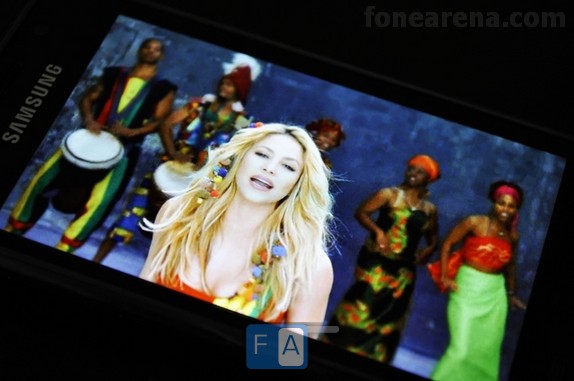
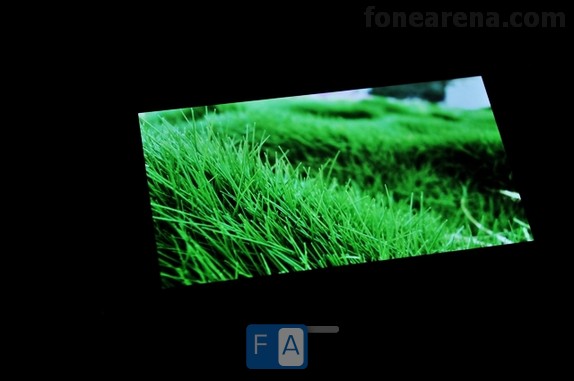
The screen is definitely the best thing about the Galaxy S. The 4" Super AMOLED screen with capacitive technology is a treat just to look at. You could keep looking at video or pictures on it all day and still not feel bored. It displays upto 16 million colours and has a resolution of 480x800 pixels. The sheer contrast and brightness of the screen will amaze you. Even at minimum brightness, everything looks great. The only other screen that can be compared is the retina display of the Apple iPhone 4. All the other screens just can't compete.

An accelerometer takes care of the auto-rotations. Multi-touch inputs are supported. The proximity sensor turns the display on/off during calls. The sensitivity of the screen is brilliant and the slightest of touches are recognised. A stylus wont work on the screen because it uses capacitive technology.

The sunlight legibility is very good thanks to the Super AMOLED technology due to the reduced glare and increase in brightness.. The viewing angles are also great.

Keys and Controls

Being a touchscreen phone, the Galaxy S has minimal hardware buttons. On the front, the three keys on the bottom are the touch sensitive menu and back/return keys which are on either side of the Home button. All three buttons have good feedback and sensitivity.

The home button also doubles as the application/task switcher key upon holding and pressing. On the right side of the device is the power button/screen lock key. The one thing missing on the right side is the camera shutter key and this is one disadvantage about the Galaxy S.

The volume up/down rocker button has been moved to the left side of the device to make way for the power/screen lock key. We would have preferred to have the volume rocker key on the right side and the power/screen lock key on top but this way works too. Although it might be a little confusing at first.

We feel the volume keys could have been slightly more raised rather than making it flush into the casing.

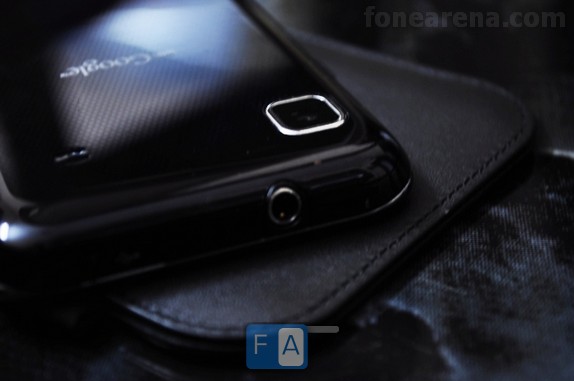
The 3.5mm Jack and the micro-USB port are situated on top. The micro-USB port is protected by a neat sliding plastic cover while the 3.5mm jack remains uncovered.

Calls

The reception on the Galaxy S is brilliant. No issues with the coverage was noticed. The earpiece has good audio quality with very little or minimal distortion. Loudness to is sufficient for most cases but can be a bit feeble in very noisy surroundings such as places with loud music etc.

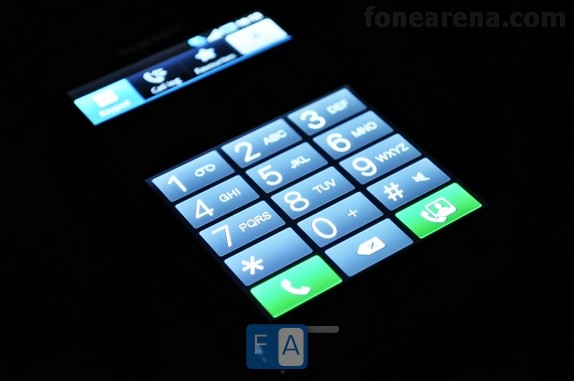
The keypad used for dialling is large and quite user friendly. Smart dial helps you to make calls easily by giving you suggestions according to your input just like search boxes do. The loudspeaker is loud enough indoors but might not be enough outdoors and the ringing volume too might be drained out in very noisy surroundings. But for everyday use it should be enough.

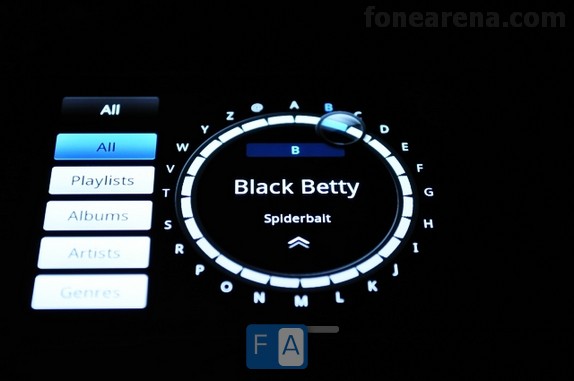
The proximity sensor turns off the display when you hold it next to your ear thus eliminating inputs by mistake and also help to save battery life. The phonebook has practically unlimited capacity and is great. You can view contacts from phone memory, SIM card and Google contacts. You can easily search through your list of contacts using the alphabet scroll on the right, similar to the one found in the music player. You can add info to every contact such as a picture, various phone numbers, website, birthdays etc.

Messaging

The messaging application organises your messages into threads which are separated on the basis of the person to whom you send or receive the text from. We feel the thread system keeps messages more organised and makes it easier to search for messages.

Messages can be entered using the virtual QWERTY keyboard which is available both in portrait as well as landscape modes. Swype helps you to type quicker by eliminating the need to take your fingers off the screen. The keys are large enough and most of the time very less errors occur while typing even for people with big fingers.

Connectivity and Memory

As with most smartphones available today, the Galaxy S is equipped with every connectivity feature in the book. The vast connectivity options include GPRS, Wi-Fi, EDGE, 3G, HSDPA, micro-USB and Bluetooth 3.0. It is one of the first phones to sport the new version of Bluetooth which gives faster transfer rates and more coverage while consuming lesser battery life. The micro-USB transfer rates are very fast and files of big capacities were copied easily without hesitations.

There are two models of the Galaxy S which provide either 8GB or 16GB of internal memory. The memory can be expanded further by an additional 32GB using the micro-SD card slot. The phone also has 512MB of RAM and 2GB of ROM.

We had some trouble in getting the phone to work over BSNL 3G but we hope it's an issue only with our unit.

Music

The Galaxy S does extremely well in the music department both in terms of hardware as well as software. The loudspeaker on the device is brilliant in terms of the quality of output. There is little distortion even at maximum volume. But the loudness isn't at the top of the charts. The only let down is that location of the speaker.

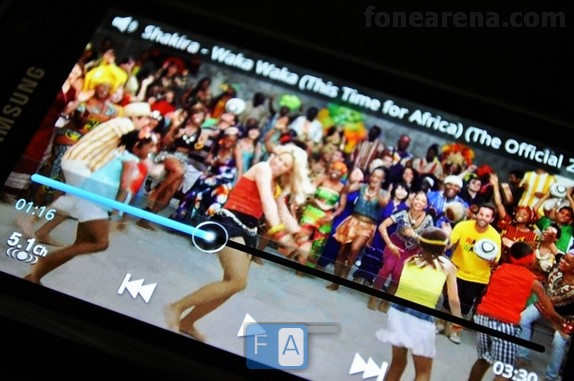
You can connect your own headphones without any adaptors thanks to the 3.5mm jack situated on the top. The audio through the jack is spectacular in both quality as well as loudness. You also get various other tweaks and options such as the 5.1 surround effect, the equalizers and sound effects.

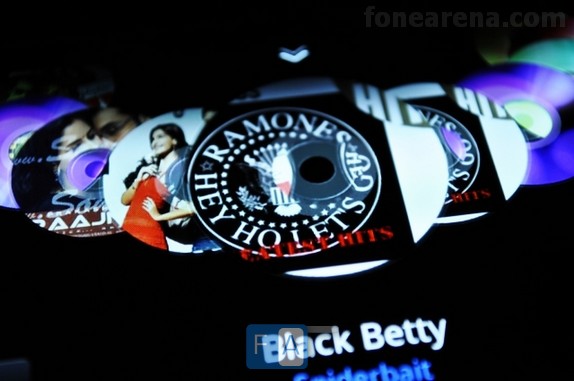
The music player is also brilliant. It is not the usual one that comes on other Android devices but a version that has been tweaked by Samsung and it will take your breath away. It not just has the awesome eye candy but also helps to ease the process of searching for music etc.

It is not possible to explain the features with just words so please take a look at the pictures and videos of the Galaxy S music player or if possible try one out for yourself to understand the awesomeness.

Video

Samsung is the current king of video playback. The Galaxy S supports every format that you put into it be it mp4, wmv, DivX, XviD, mkv etc. Although bigger mkv files might not be recognised at times. It is the only Android powered handset to support so many formats and together with it's massive 4" Super AMOLED screen, you could keep watching videos on it forever.
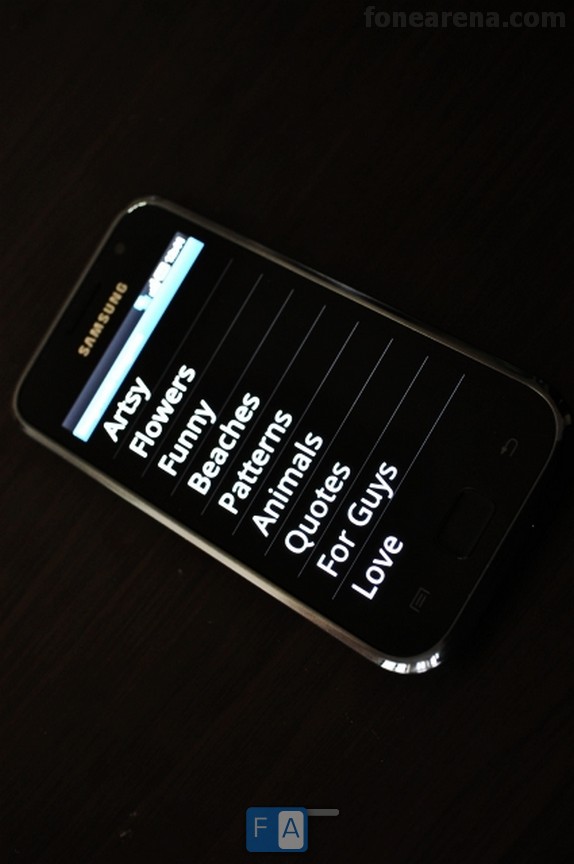
We even managed to play HD Ready 1280*720 pixels videos on the phone and it should come as no surprise given the fact that it has HD Ready Video Recording. The phone could be used as a dedicated media player too considering the great battery life. HDMI support would have been cool but Samsung has left it to the hackers.

Update: Samsung has released a microUSB to HDMI Adapter for the Galaxy S in the USA for $50 . Thx Kalpik !

Imaging and Video Recording

The Galaxy S is equipped with a 5 Megapixel camera with Auto-focus, Touch-focus, smile and face detection and Geo-tagging. Surprisingly the camera does not come with a flash, not even an LED flash. This is one of the very few drawbacks of the device. If it did have an LED flash, the device would have been nearly perfect.

While we are fine with the resolution of the camera, the image quality is poorer than we expected. The lack of a flash aggravates the situation. The images taken with the phone are mostly underexposed, noisy and quality is average or above average at best. It does not compete with the top 5 Megapixel performers. Night time photography is out of the question. But during daytime, it does the job.

Camera Samples

galaxy s camera samplegalaxy s camera samplegalaxy s camera sample

galaxy s camera samplegalaxy s camera sample

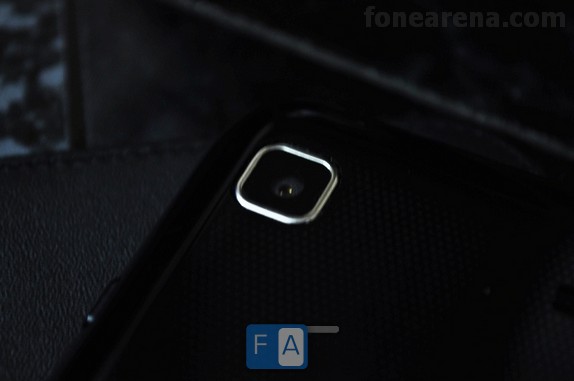
The camera does not have a lens cover so the lens is exposed to scratches, smudges and fingerprints. But that is not the worst part considering the lack of flash and also lack of a camera shutter key. The only way to take photos is by using the onscreen camera shutter key.

You tap on the area where you want the camera to focus, after it focuses, tap the camera icon and the picture is taken. The focusing time is quite good and so is the shutter speed but here again its not among the best.

Video recording on the other hand is quite good. It offers HD Ready 1280*720 pixels video recording at 30 fps (Frames per second).  The video quality is one of the best that can be found on handsets currently .  Other handsets offering 720p Video recording are Apple iPhone 4 and Motorola Milestone XT720

Battery Life

The Galaxy S is equipped with a massive 1500 mAh Battery.  Samsung claims it to have a standby time of 750 hours using 2G and 576 hours using 3G. Talk time is rated at 13 hours 30 minutes on 2G and 6 hours 30 minutes on 3G.

In reality too the Galaxy S has great battery life. It exceeded our expectations. You could get 2 days of battery life easily even with heavy usage. We tried everything from music, videos, camera, applications, web browsing etc when we got it and the battery still lasted around 1 and half days which is very good for current high-end phones.

OS and UI

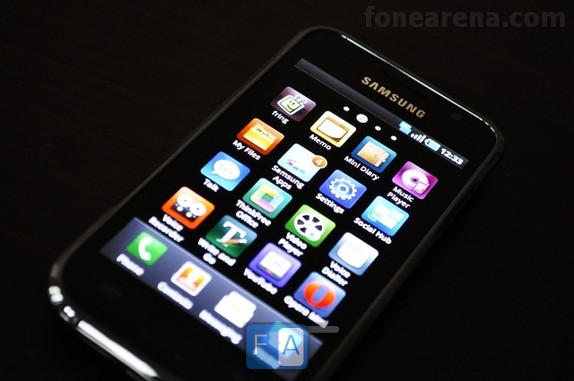
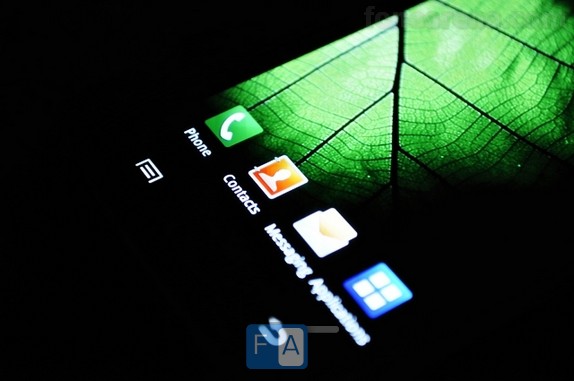
The phone runs on Android 2.1 OS with a Samsung  Touch Wiz 3.0 UI. The default Android Live Wallpapers are available and there are also a few from Samsung. The 7 Home screens are customizable with Widgets – Samsung and Android. You can choose from up to 4 Fonts. We liked the Default Font the most. You can download access apps from Samsung Apps and the Android  market.

Browser

The browser is similar to the stock Android browser with minor tweaks. You can browse up to 8 Windows at a time. Flash support is missing but is expected to come soon. There is Tap-to-zoom and Multi-touch, although not a smooth as on the iPhone it is certainly usable. Pages load pretty fast and the huge display makes reading a pleasurable experience

Conclusion

Samsung Galaxy S has turned out to be what we feel is the best Android phone in the market right now. It has everything you could ask for. Its good as a business phone, a multimedia phone etc. It does have a few drawbacks but maybe just one major drawback and no phone is perfect anyway. The only department where it needs quite a big improvement is imaging. It rocks in every other department.

Anyway we feel that this phone will be worth every cent you spend and you'll love it.

Pros

  • Amazing Screen
  • Great Audio Quality
  • Great Video Playback
  • Good Battery Life
  • Good Day light Camera
  • Good Video Recording
  • SWYPE  Input
  • WiFi Hotspot
  • ThinkFree Office Suite

Cons

  • Speaker could have been better.
  • No Camera Flash
  • No Dedicated Camera Shutter Key
  • No Camera Lens Cover
  • No Flash support in Browser
  • Weak GPS